|
Configure DHCP Client - Ubuntu
2016/06/13 |
|
Configure DHCP Client. DHCP Client uses 68/UDP.
|
|
| [1] | It's the example for configuring Ubuntu Client. |
|
root@dlp:~#
vi /etc/network/interfaces # line 12: set dhcp iface eth0 inet dhcp
systemctl restart ifup@eth0 |
|
Configure DHCP Client - Windows
|
|
It's the example for configuring on Windows 10 Client.
|
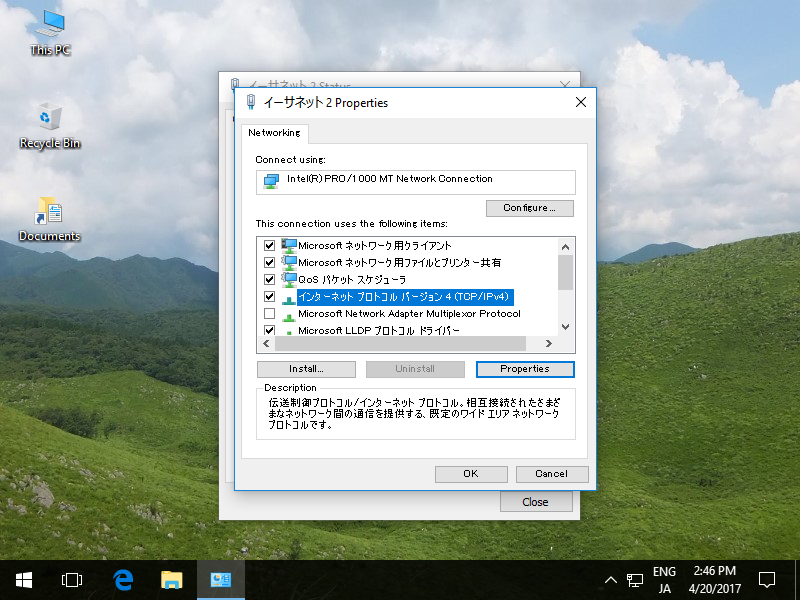
| [2] | Open network settings and select "internet protocol" and click "property" button. |
|
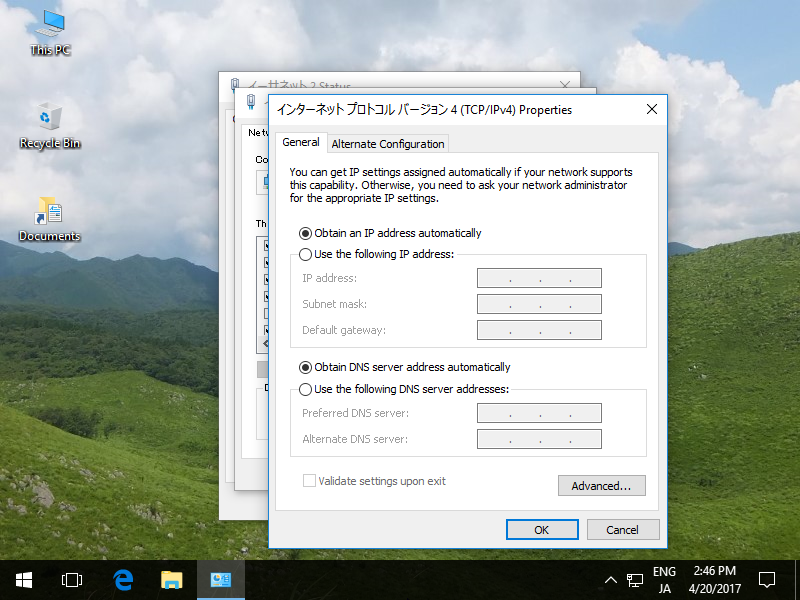
| [3] | Check boxes like below, then IP address is re-configured automatically. |
|
| [4] | See the network status. Automatical configuration is done. |

|